
Take photos and scan documents
These tools work in Infinite documents, Vertical documents, and Paged notes. Your device needs an available camera and camera permission. Scan Document does not appear on Mac. The top camera and scanning options in Infinite and Vertical documents require Prodrafts Pro; follow any access prompts shown by other entry points.
Take a photo or video
- Open the intended canvas. In a Paged note, go to the target page first.
- Tap the add button and choose Camera.
- Allow camera access if prompted, then choose photo or video in the system camera and capture it.
- Accept the result. Back in the note, adjust its position and size. You can retake or cancel while still in the camera.
Tap a video's play button to watch it. If the camera is unavailable, the app displays a message. Changing document types cannot add camera support to a device without one.
Scan paper documents
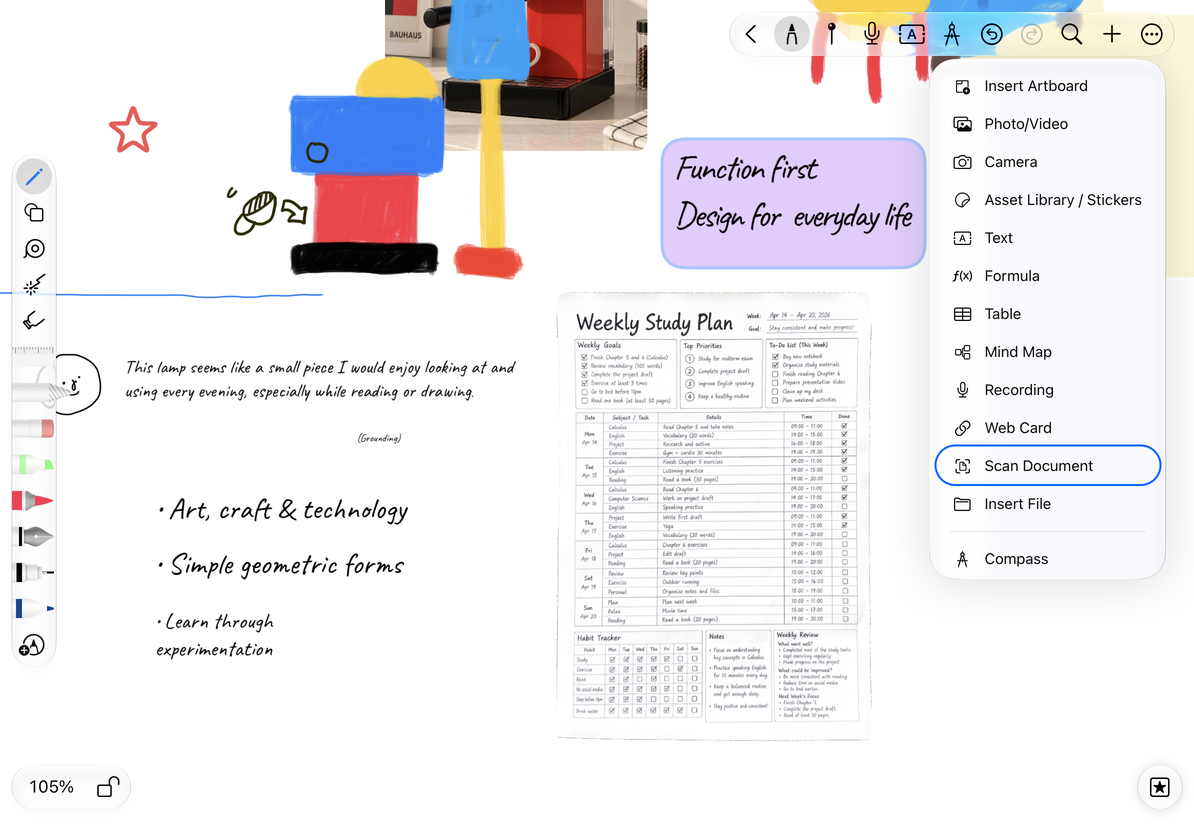
- Choose Scan Document from the editor's top add menu.
- Place the paper in view and follow the system scanner to capture it and confirm the edges.
- Scan more pages if needed, review each one, and save. Cancel to return to the original note.
- In Infinite and Vertical documents, the top scanning option then asks for a document type. Choose Image to insert each page as a canvas image, or PDF to combine the scans into a PDF attachment.
- In a Paged note, scanning from the top add menu inserts images on the current page. You can move, resize, or crop them.
Scan paper documents
Arrange scanned images
In an Infinite or Vertical document, open More Settings → Preferences → Scan Document → Image Arrangement Direction and choose horizontal or vertical. Vertical arrangement is useful for reading several pages down the canvas. This setting controls image placement after choosing Image; it does not reorder PDF pages. To expand a PDF into images afterward, see Convert PDF pages to images.
In a Paged note, scans from the top add menu remain image attachments on the current page. To make each scan a separate page, use Scan in Add Pages. To create a separate note, see Create a Paged note from photos or scans.
Common questions
Why can I not select text in the scan?
This flow preserves an image of the paper. It does not automatically add a searchable text layer to a PDF. Scan Text in Text documents is a separate feature that inserts recognized text into the document.
What if I denied camera access?
Check Prodrafts' camera permission in system settings, then reopen the camera or scanner.
How do I remove an inserted scan?
Select the intended image and delete it. Open the scanner again if you need a new scan, and check that you are looking at the new result rather than the old image.