
Organize mind maps and collapse branches
These steps apply to native mind maps in Infinite documents, Vertical documents, and Paged notes. Nodes have parent-child relationships, so dragging can change both their position and the map's structure.
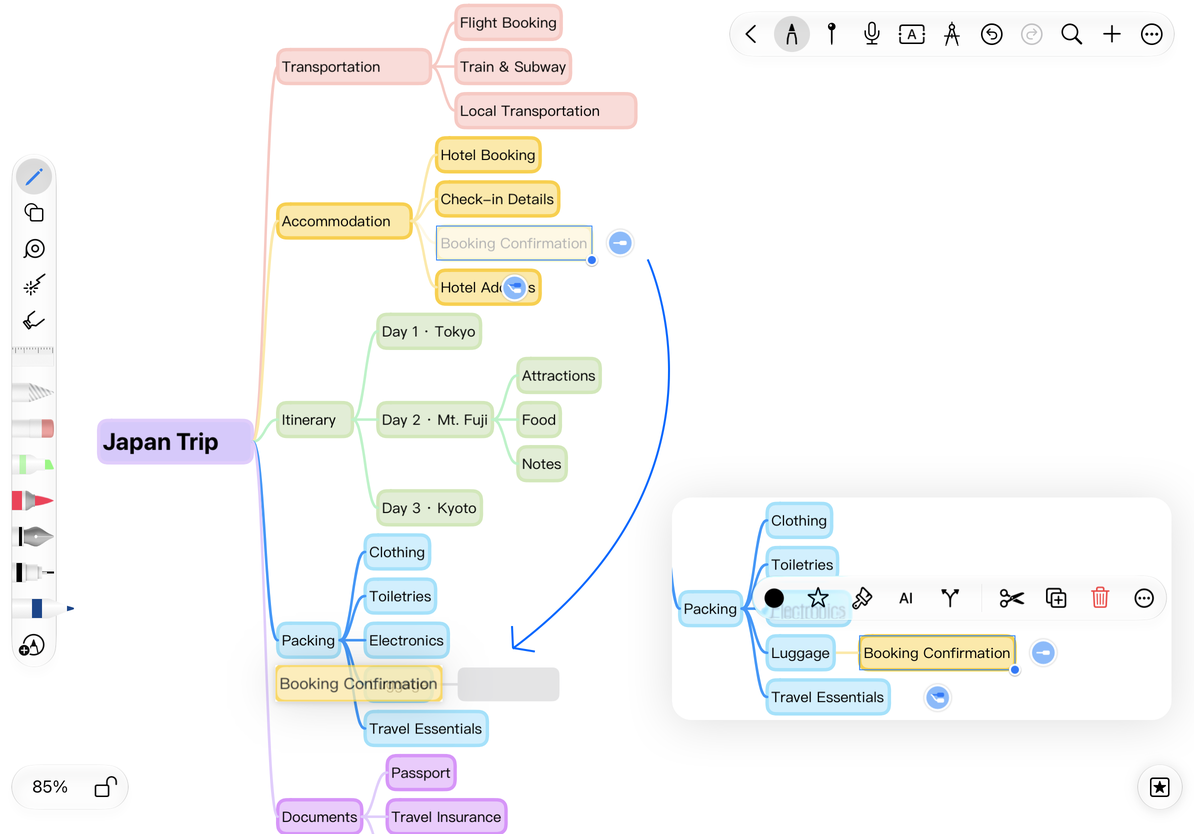
Change a node's parent or order
- Finish editing the node's text and select the node.
- Drag it toward the destination node and watch the insertion indicator.
- Drop near the destination's body to make it a child, or above or below it to place it among its siblings.
- Release, then check the new parent and sibling order. Use Undo immediately if it is wrong.
Near the root, the drop position can place a branch on its left or right. The root is not an ordinary sibling insertion target. A node also cannot become a child of one of its own descendants, which would create a cycle.
You can drag a branch to a supported insertion position on another mind map. Check the preview first, then confirm that its child branches remain intact after the move. Moving a root affects a different scope from moving an ordinary branch.
Move an item to the right branch
Collapse and expand branches
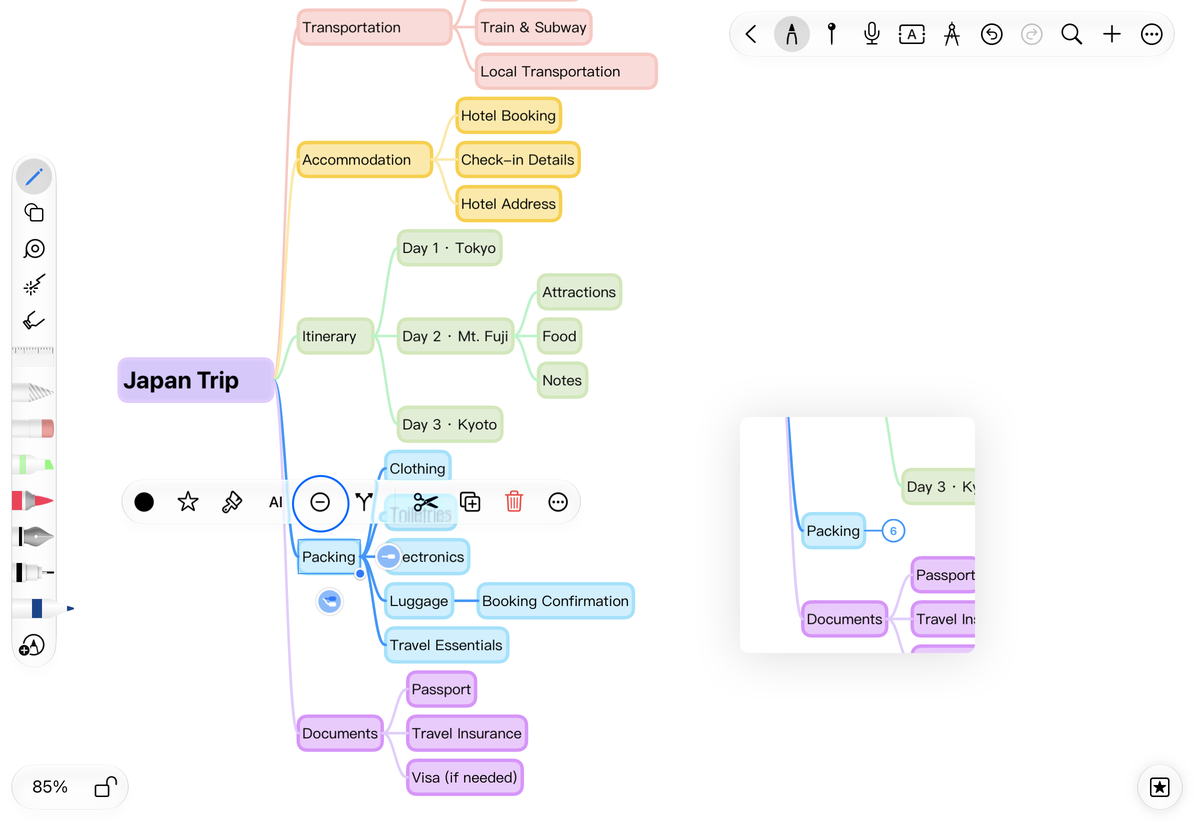
Select a non-root node with descendants and choose Collapse. Its child branches are hidden, with a count button beside the node. Tap the count to expand them. Handwriting associated with hidden nodes is also hidden until they are expanded.
Collapsing does not delete content. Roots normally have no standard Collapse action; restoring a root that is already collapsed may behave differently. To make the whole map take less space without hiding content, adjust its compactness instead.
Collapse a branch and expand it with the count button
Copy, cut, and paste as a node
Choose More → Copy on a node, select the destination node, then choose More → Paste as Node. Check the resulting hierarchy and branch scope. To create another copy immediately, use Copy in the node's floating menu.
Cut removes the node and its associated descendant connections; it is not simply cutting one text box. Before moving a long branch, you can copy it, verify the pasted result, and then decide whether to delete the source. After pasting between documents, check images, formulas, handwriting, and collapsed states. Pasting into an external app does not necessarily transfer the complete mind map structure.
Undo or restore the layout
Undo after a completed move restores the original parent and order; Redo reapplies the move. Canceling a drag keeps the original structure. To move the entire map, move its root and check the associated content. Do not move individual connections to try to change the hierarchy.
Related guides: Create nodes · Styles and handwriting · Export branches