
Format paragraphs, lists, and spacing in text boxes
Applies to text boxes in Infinite documents, Vertical documents, and Paged notes. Paragraph settings apply to the paragraph under the cursor or the paragraphs involved in the selection, and character spacing applies to individual characters.
Alignment and spacing
- Enter text editing and place the cursor in a paragraph; to modify multiple paragraphs at the same time, select them first.
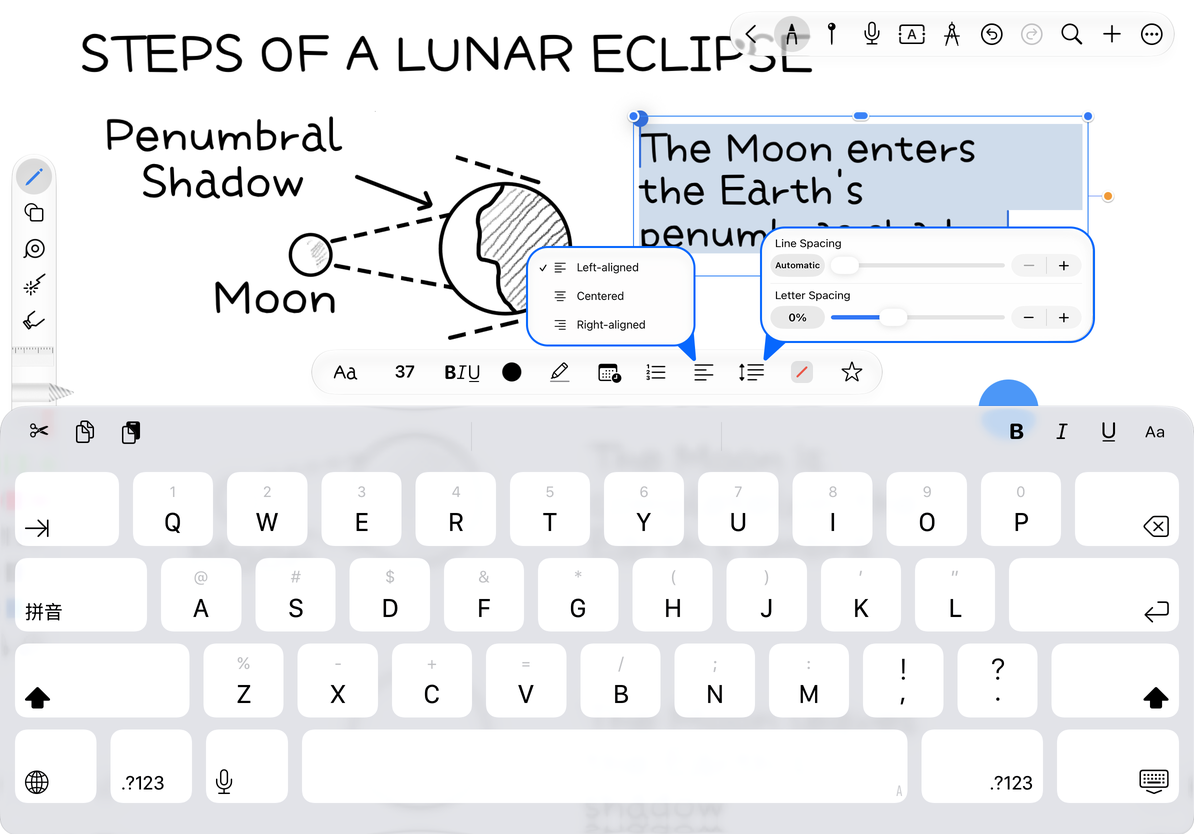
- Open the alignment menu and select Left, Center, or Right.
- Tap the spacing button and adjust line spacing and character spacing in the panel.
- Check the line breaks and paragraph height, and adjust the text box width if necessary.
Text containers that support vertical alignment will also display top, center, and bottom alignment. This option is determined by the container and is not available in every text editing location. Line spacing changes the distance between lines; character spacing changes the density of characters and should not be replaced by entering extra spaces.
Align paragraphs and adjust spacing
Dots, dashes and numbered lists
- Place the cursor into a paragraph of text, or select multiple paragraphs.
- Open the List menu and select Dots, Dashes, or Numbered Lists.
- Press Enter to continue to the next item and enter the next content.
- To restore no list, select the same list that is currently checked; press Enter again on an empty list item to exit the current list.
The list menu may not have a separate None option. Tap the selected style again to remove that list level. To change bullets to numbers, choose the numbered list style.
Insert date, time or both
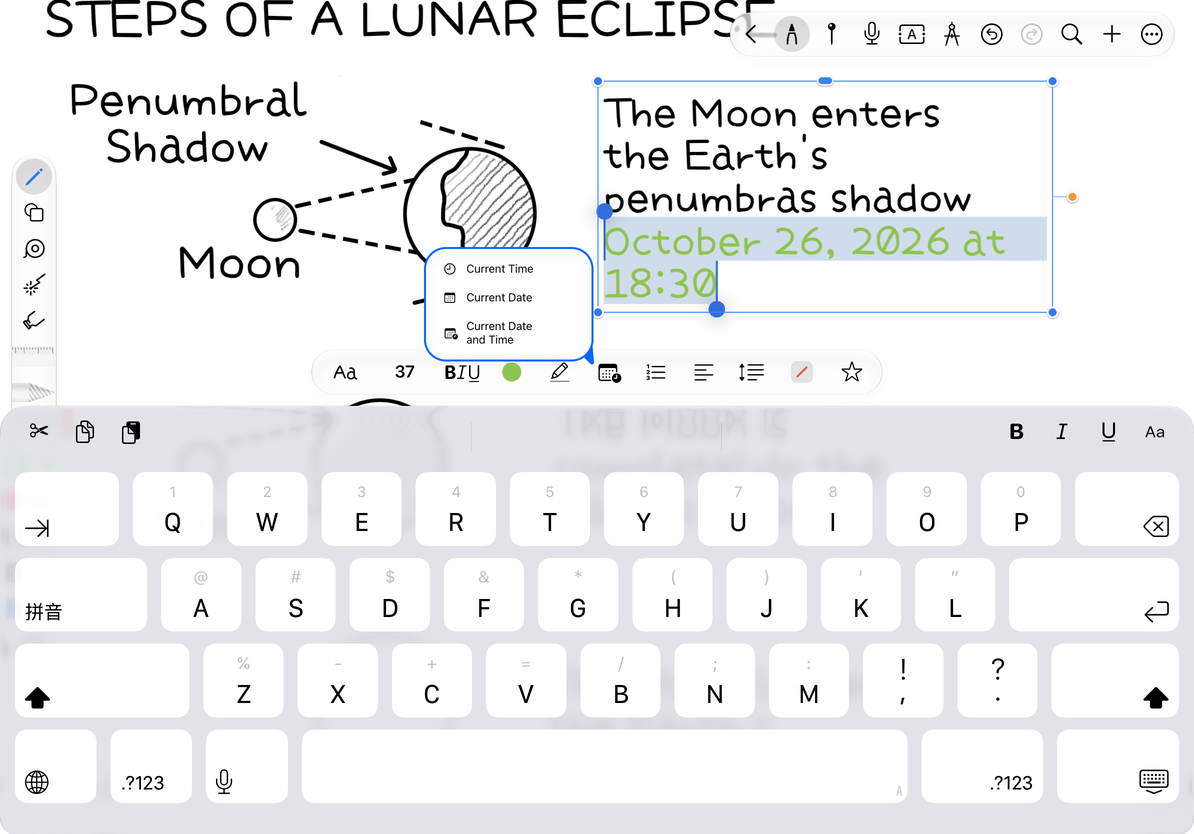
Place the cursor where you want the date or time, open the time menu in the text toolbar, and choose Time, Date, or Date and Time. This inserts the current value as text using your system region format. It does not update like a clock.
When there is currently a text selection, inserting will replace the selection, so make sure there is only the cursor before inserting the meeting date. Insertion errors can be undone immediately or modified like normal text.
Insert date, time or both
Why did only one paragraph change?
Paragraph settings take effect based on the current paragraph or selection range. First select all paragraphs that need to be modified.
Date format different from example?
Determined by device region and language settings.
Need a long document with flowing text?
Use the paragraph and list tools in a Text document.
Related guides: Character format · Text style · Text list