
Use lists, checklists, and content blocks
Available in text documents on iPhone, iPad, and Mac. Content blocks flow with the text, making them useful for meeting notes, task lists, and technical explanations without arranging individual objects on a canvas.
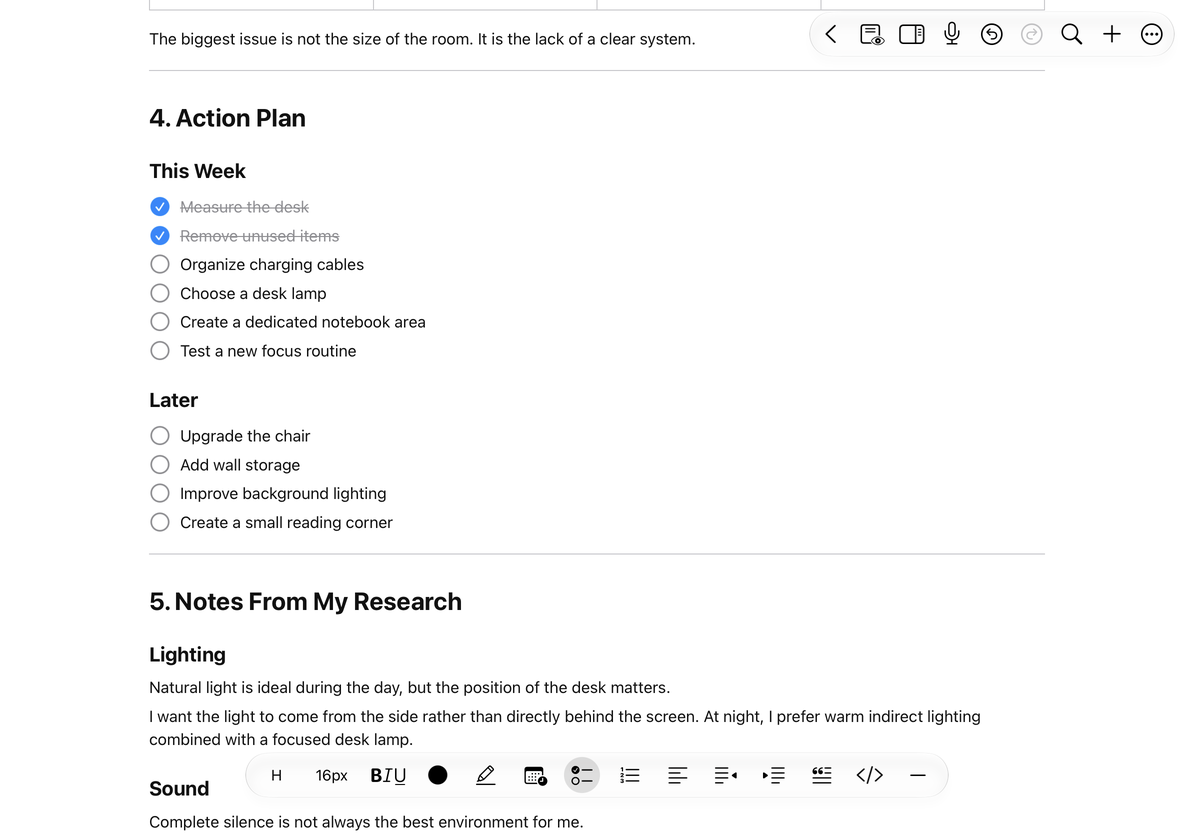
Create lists and checklists
- Place the cursor in a paragraph or select several paragraphs to convert.
- Choose a bulleted, dashed, or numbered list from the formatting toolbar’s list menu. Use the checklist button for tasks.
- Type an item and press Return to add the next one.
- Use Increase Indent and Decrease Indent to change nesting. Tap a task’s checkbox to mark it complete, or tap again to clear it.
To return a list item to ordinary text, choose its active list style again. For checklists, tap the checklist button again. You can also reduce nesting one level at a time. Choosing Body in the H menu alone does not remove list nesting. Check numbering and levels after changing them, and use Undo if needed.
Use a checklist
Add quotes and code blocks
Place the cursor in a paragraph and use the quote or code-block button in the formatting toolbar, or insert one from the slash menu. Quotes suit excerpts; code blocks preserve code or syntax layout. Toggle the same format again to leave it.
Code blocks with the bnf or ebnf language tag support syntax highlighting, including when inserted from tagged Markdown code blocks. This does not mean every programming language is highlighted automatically. Math delimiters within code remain plain text rather than becoming formulas.
Insert dividers and dates
Choose a solid or dashed line from the divider menu to separate sections visually. Undo an unwanted divider, or select its block and delete it.
The date/time menu inserts the current time, current date, or both using the system region and time zone. The result is ordinary text captured at insertion, not a live clock. Edit it directly if you need another date.
Common questions
A checked task still shows its text
Checking marks a task complete; it does not delete it.
My dates look different from someone else’s
Check your system region and time zone.
I only want to add a heading
Use a heading style. Dividers do not replace document structure.
Related guides: Insert Markdown, Text formatting.