
Export a node, branch, or entire mind map
These steps apply to mind maps in Infinite documents, Vertical documents, and Paged notes. Decide whether to share a single concept, a branch, or the whole map before choosing the export scope.
Choose what to export
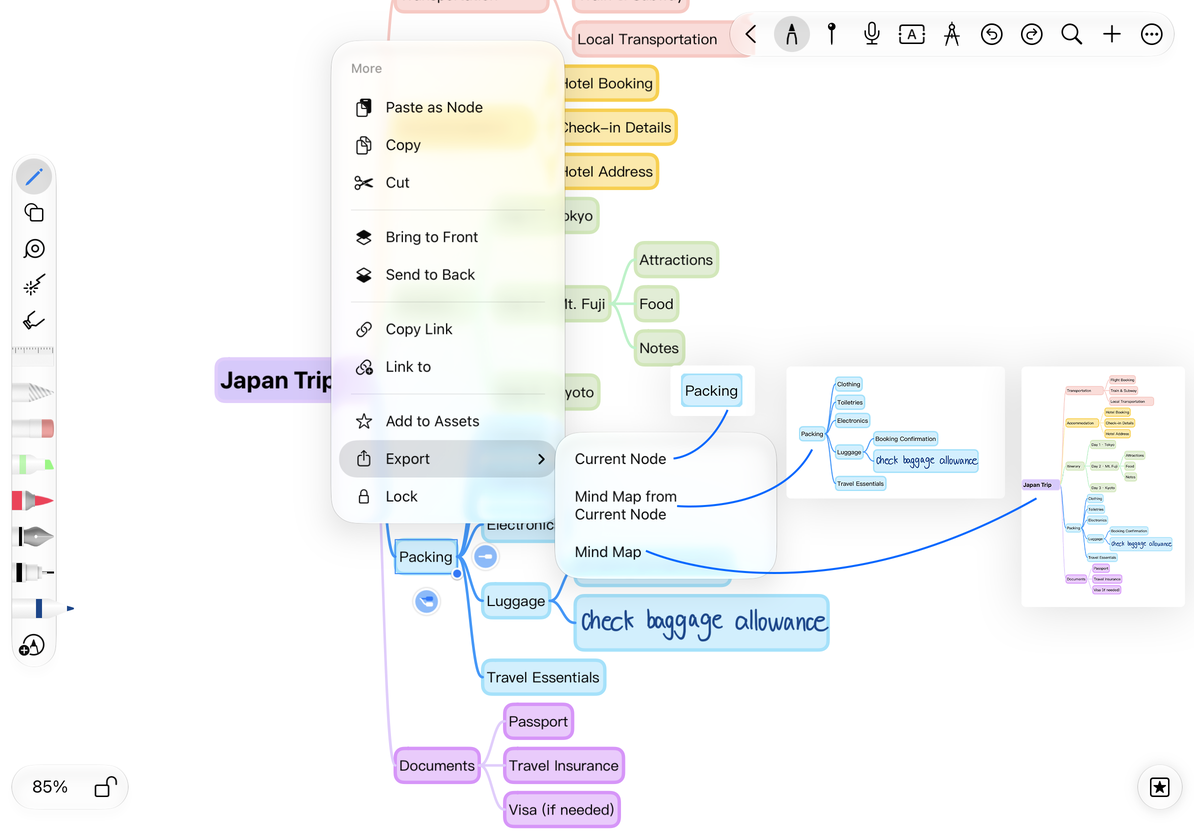
- Select a node and open More → Export.
- Choose the scope below.
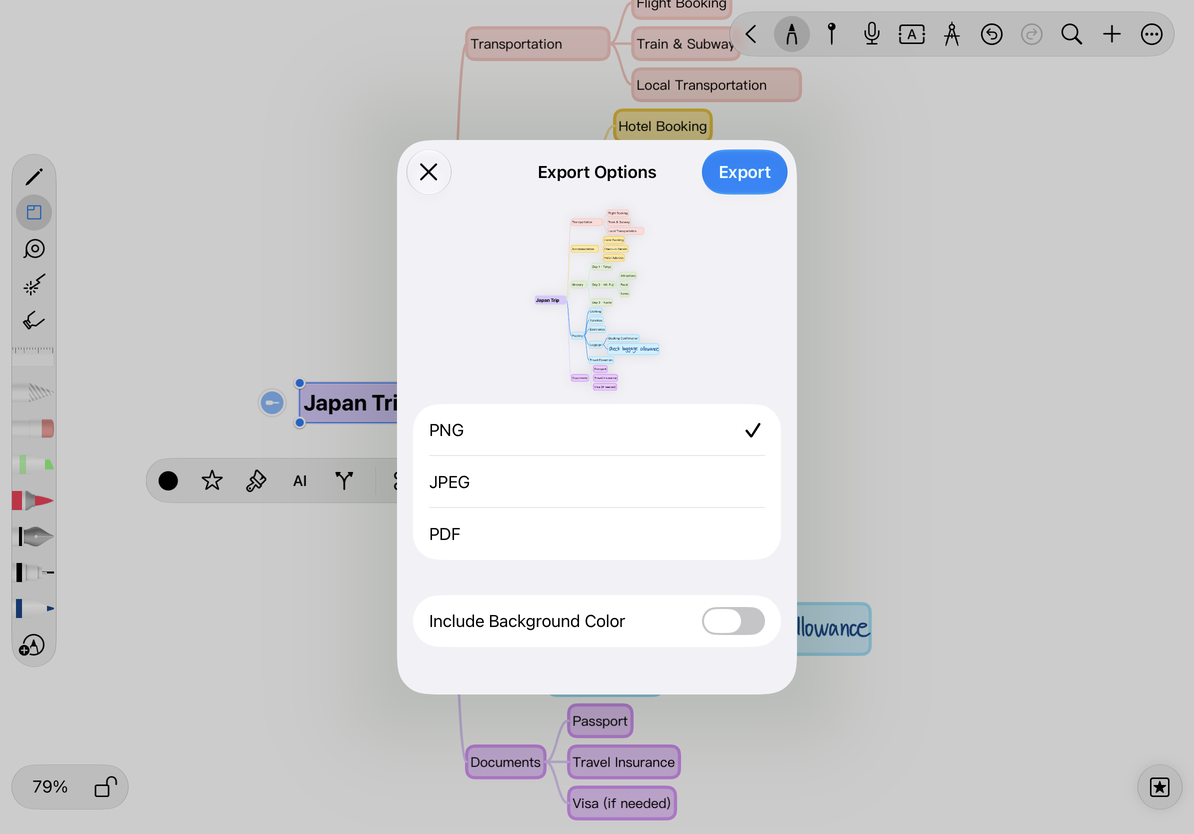
- Check the export preview and set the format and background options.
- Tap Export, then save or send the file through the system share sheet.
| Option | Includes |
|---|---|
| Current Node | Only the selected node object |
| Mind Map from Current Node | The selected node and its descendants; available for a non-root node with descendants |
| Mind Map | The entire map |
A node without children does not offer the branch scope. To export the whole map from its root, choose Mind Map.
Choose a node, branch, or whole map
Set the output format
Choose PNG, JPEG, or PDF. PNG works well in other documents and can preserve supported transparent areas when the background color is excluded. JPEG is widely compatible but does not support transparency. PDF is useful for reading or printing.
Review options such as Include Background Color and Include Content on Attachments to check the background and content drawn over nodes. For large maps, inspect text clarity and the actual PDF layout. A complete-looking canvas does not replace checking the export preview.
Choose a format and check the preview
Check collapsed branches and handwriting
Expand every branch you want to share, then inspect the export preview. Collapsed nodes and associated handwriting may be hidden; do not assume hidden content has been checked in the preview.
Exported images and PDFs show the result but do not retain the editable node structure. Share a native Prodrafts document if the recipient needs to reorganize the map.
Only one box was exported
Check whether you chose Current Node.
The branch option is missing
Select a non-root node with children.
Text is too small in the result
Export separate branches or adjust the map layout before exporting again.
Related guides: Organize branches · Mind map styles · Export native documents