
Find, organize, and export artboards
Applies to Infinite and Vertical documents on iPhone, iPad, and Mac. The list shows the current document's artboards so you can divide a large canvas into topics and export them. Start by creating artboards.
Find and rename an artboard
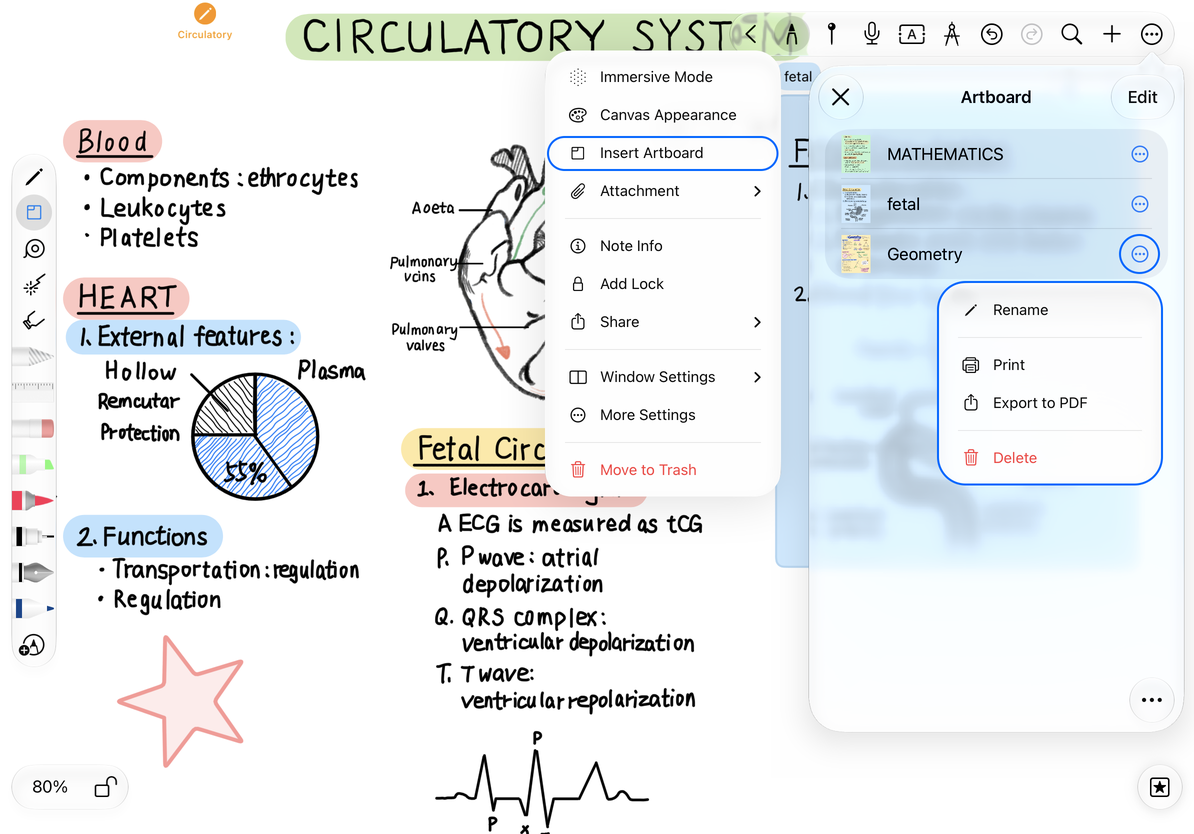
- Open the document's More menu and choose Artboards.
- Browse the thumbnails and tap an item to jump to its area on the canvas.
- Open that item's More menu and choose Rename. Enter a non-empty name, such as “Plan A,” and confirm.
- Tap Cancel if you do not want to change it. This name identifies the artboard; it does not rename the document.
If an artboard is missing from the list, check that you created an artboard object rather than an ordinary rectangle.
Reorder, select, and delete
Drag items to reorder the list while it is outside edit mode. For batch actions, enter edit mode and select individual items or all items. Leave edit mode before dragging to reorder again.
Before deleting, check the names, thumbnails, and selection count. Delete one artboard from its menu or delete selected artboards together. Deleting from this list removes the artboard objects. Separate handwriting, images, and other content inside them remain on the canvas, but the removed list entries can no longer take you there. If you delete an artboard by mistake, immediately use Undo on the canvas. To remove all content in an area, return to the canvas and explicitly select it; deleting an artboard from the list does not clear that area.
Sorting, multiple selection and deletion
Print or export as PDF
- One artboard: Open its menu and choose Print or Export to PDF.
- Selected artboards: Enter edit mode, select the required items, and choose an output action from the list's More menu.
- All artboards in the list: Use Print or Export from the list's More menu outside edit mode.
After export, save the file through the system share sheet. Printing opens the system print flow. Canceling sharing or printing does not delete artboards. Check the exported bounds, order, and content near the edges before sending or printing.
Frequently asked questions
Why did it export every artboard?
Check that you entered edit mode and selected the intended items before using the list's More menu.
Can the PDF play videos?
PDF is a static output. Use the native document format to preserve editable content and media.
Where is the artboard overview in a Paged note?
This list is for Infinite and Vertical documents. Manage a Paged note through page thumbnails.