
Import from other apps and add to the current note
You can share files from another app or open them with Prodrafts. The file format determines the type of a new document. Add to Current Note appears only when the open editor supports the incoming file type.
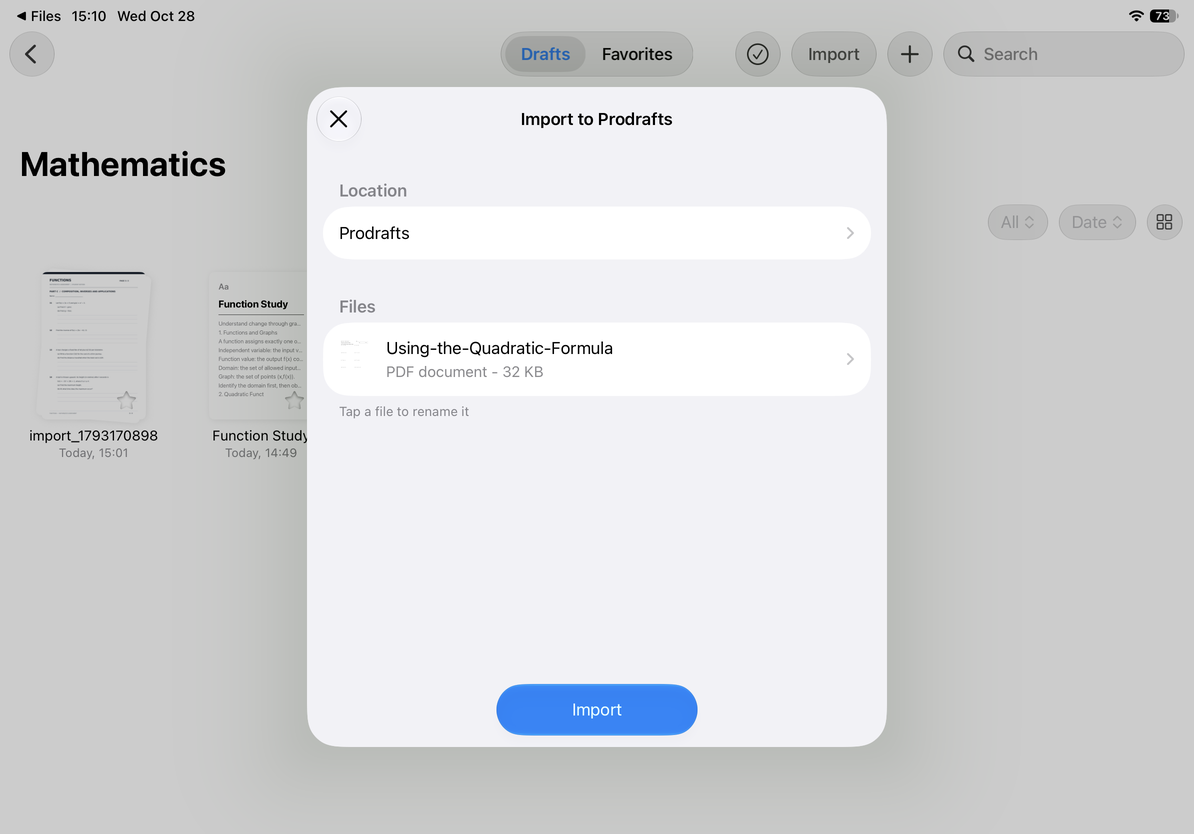
Review the import panel
- Select a file in the source app, open the system share sheet, and choose Prodrafts or Open in Prodrafts.
- In Import to Prodrafts, check the file list and sizes. Make sure you received the actual files, not web links or placeholders for files that have not downloaded.
- Tap a filename to rename it, enter the name, and confirm. Check each name when importing multiple files.
- Tap Location to choose a destination folder.
- To create a separate document, tap Import. Wait for completion, then check the chosen folder. To cancel and return to the source app, use the close button.
Review the import panel
Add to the current document
If a compatible document is open, another action may appear at the bottom of the import panel. Check its title first so you add content to the intended document.
| Current document | Available action and result |
|---|---|
| Infinite or Vertical document | Add to Current Canvas inserts supported content. Look for new objects near the current view. |
| Paged note | Add to Current Note appears when every incoming file is a PDF. It adds those PDFs to the current note's pages. |
| Text document | This panel cannot add to the current body text. Use the editor's own paste or insert options. |
Encrypted PDFs are checked before they are added to a Paged note. If a file fails the check, resolve the issue in the import panel and try again. Afterward, open the page thumbnails and check the number and position of added pages. Files added to a canvas may become images or attachments, rather than directly editable content.
Add to the current document
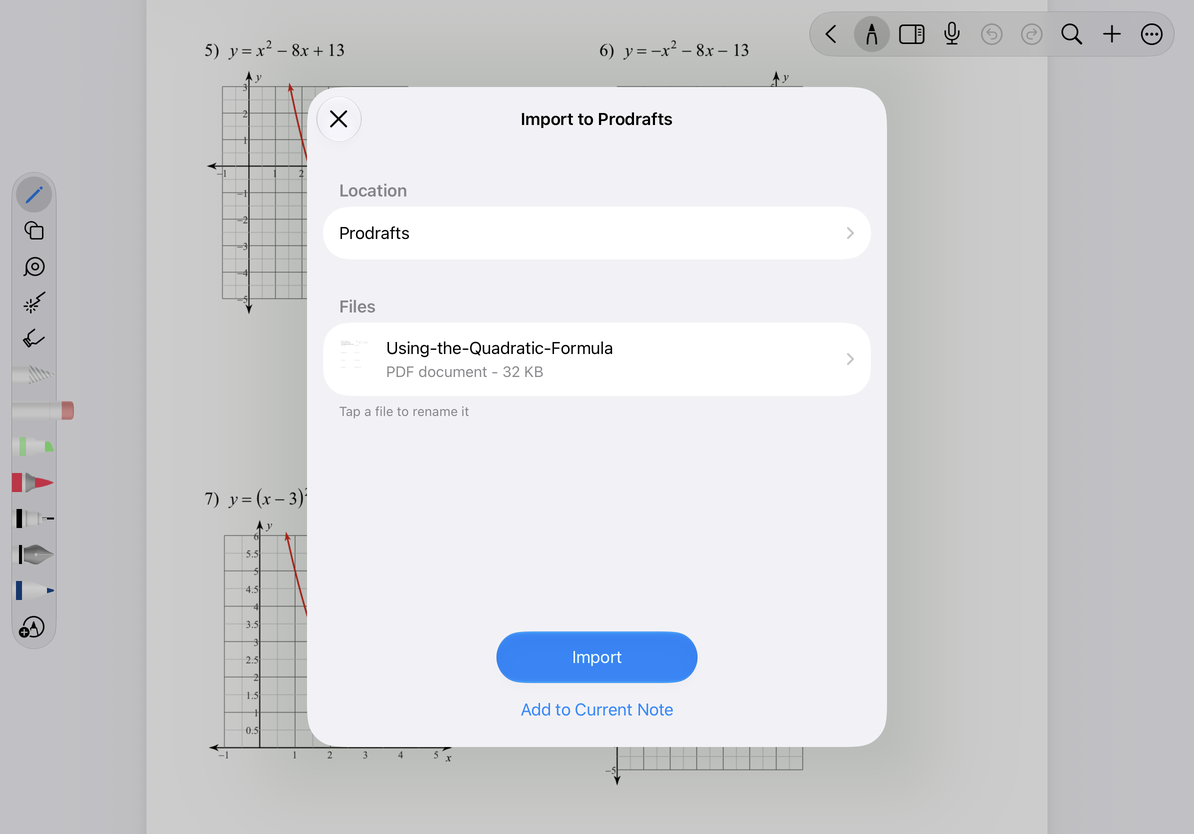
If Add to Current Note is missing, check that a Paged note is open and all incoming files are PDFs. The action is unavailable for a mix of formats, an incompatible editor, or a Text document.
For conversion behavior, see Import PDFs, native documents, and other files. To add Markdown to body text, see Paste or insert Markdown into the current document.
Last checked: October 12, 2026. Menus may vary by device and version.