
Create artboards and group existing content
Applies to the canvas tools in Infinite documents, Vertical documents, and Paged notes on iPhone, iPad, and Mac. An artboard organizes the content in an area as a unit. It is not an entire note, a numbered page, or a presentation view.
Create an artboard
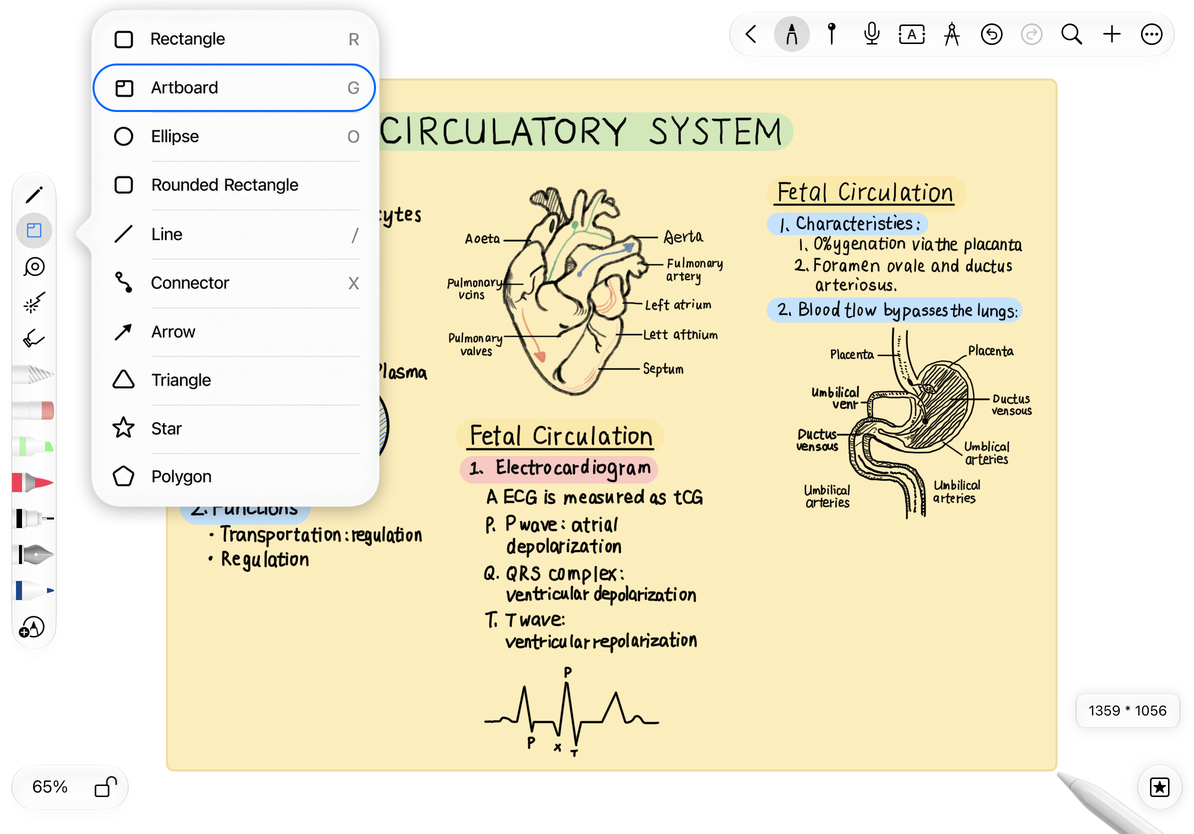
- Open the Shape tool and select Artboard.
- Drag a rectangle on the canvas, then release to create it.
- Select the artboard and give it a recognizable name. In Infinite and Vertical documents, you can also rename it in the artboard list.
- Write or place text, images, and other objects inside it.
- Move the artboard and check that the intended content moves with it before continuing your layout.
Moving an artboard automatically includes handwriting and objects within its bounds. There is no need to enable an option for objects to follow it. For content that crosses an edge, is nested, or overlaps only partly, move the artboard a short distance and check the result before placing it.
Create new artboard
Create a combined artboard from existing content
- Use the Lasso to select the handwriting and objects you want to group, and check the selection.
- Open the selection's More menu and choose Generate Combined Artboard.
- Check the new artboard's bounds and contents, then move it as a unit.
- If the selection included too much or too little, undo the grouping immediately, adjust the Lasso selection, and try again.
How content follows an artboard
Moving content with an artboard differs from selecting unrelated objects together. Similarly, a mind map's root node moves connected nodes and related handwriting according to the map's structure. These relationships do not permanently bind every item that touches a border.
To return to the state before creating a combined artboard, undo the grouping immediately, then organize the items separately. To undo only the latest move, use Undo. Do not delete an artboard as a way to ungroup its contents.
Frequently asked questions
A stroke did not move with the artboard
Check whether the stroke crosses the artboard's edge. If needed, use a clear Lasso selection to regroup the content.
Paged notes have no separate artboard list
Pages can contain artboard objects, but the separate artboard list is available only in Infinite and Vertical documents.
I want to show several views of my content
Use presentation views.