
Convert handwriting to a formula
Applies to handwriting selected in Infinite documents, Vertical documents, and Paged notes. Formula recognition is a beta feature that requires an internet connection. Availability and results depend on your system, the online service, and the handwriting. To type LaTeX directly, use the canvas equation editor; it does not require this setting.
Enable recognition and select handwriting
- Open More → Formula Recognition (Beta version) and enable recognition in the panel.
- Return to the canvas and write a clear formula, distinguishing between superscript and subscript, numerator and denominator.
- Use Lasso to circle this piece of handwriting, and try not to mix it with the main text, charts, or a second irrelevant formula.
- Confirm that Formula appears in the selection menu.
This creates an image of the selected handwriting for online recognition. It processes only your current selection, not the entire document. Formulas embedded in images or a PDF background are not selectable handwriting strokes.
Select only one formula to be converted
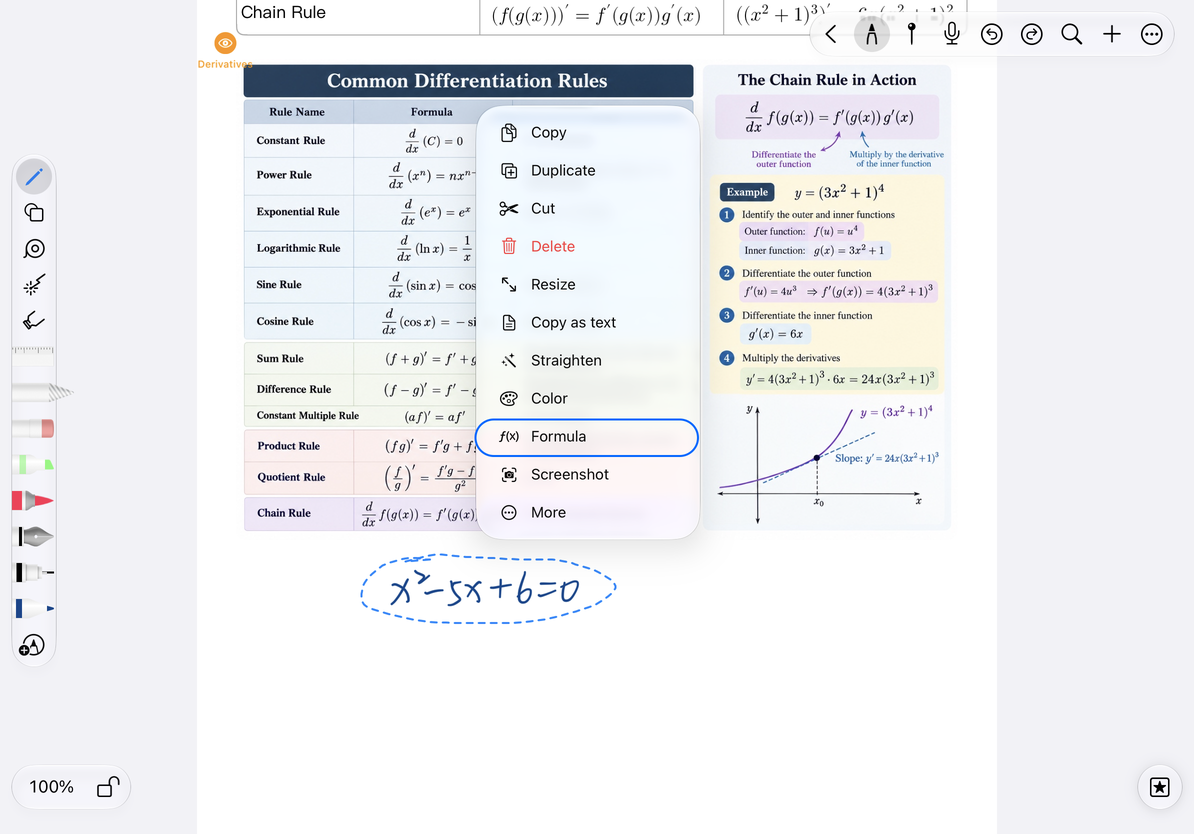
Convert and check the results
- Tap Formula in the selection menu and wait for the recognition to be completed.
- Keep the current page and selection while you wait, avoiding switching documents or moving selected handwriting.
- When recognition succeeds, the app replaces the selected handwriting with an editable, typeset formula.
- Check every number, letter, sign, fraction, superscript, and subscript. A neatly typeset formula can still contain recognition errors.
Conversion replaces the selected handwriting with an editable formula. To keep the handwritten original, copy or duplicate it before converting. If the conversion is wrong, use Undo immediately to restore the handwriting.
Check the replaced formula
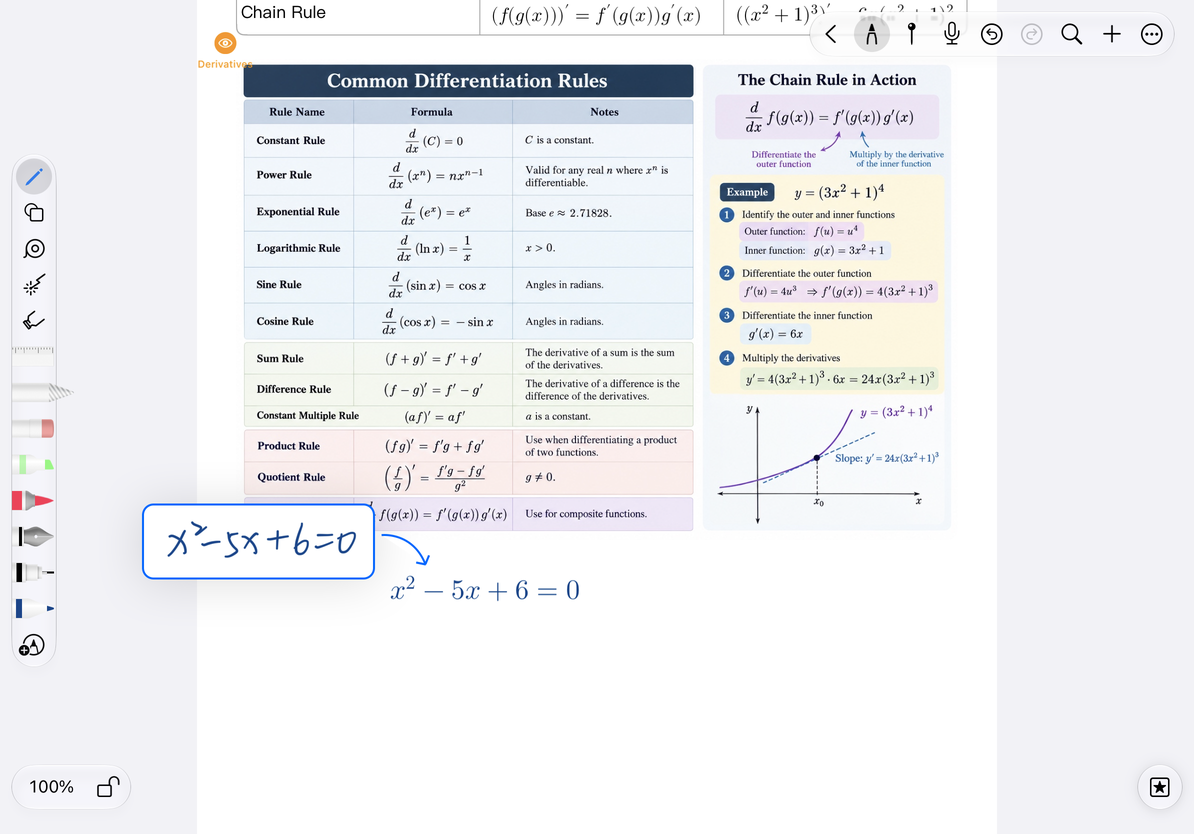
Failed or not recognized correctly
When a network or conversion failure message appears, keep the original handwriting first, confirm the network and try again. When the selection cannot generate a valid handwriting picture, or the returned content cannot be typeset, it will not be replaced as a valid formula. You can narrow the selection, write confusing symbols clearly, or enter them manually.
To correct an inserted formula, select it, tap Edit Formula, edit the LaTeX, and check the preview before finishing. You do not need to write it again by hand. Use the editor preview to check which LaTeX syntax is supported.
There is no "Formula" menu
Check that the Beta setting is enabled and the selection contains actual handwriting strokes.
Can it be used offline?
Handwriting recognition requires an Internet connection; manual formula entry is an independent process.
No insertion after waiting
If the page or selection is changed during the process, reselect the original handwriting before proceeding.
Related guides: Manual formula input and editing · Lasso selection · Handwriting to text