
Style mind maps and attach handwriting to nodes
These options apply to Infinite documents, Vertical documents, and Paged notes. A map's appearance includes its connections and spacing, as well as each node's text, background, or object style.
Change the current map
- Select a node.
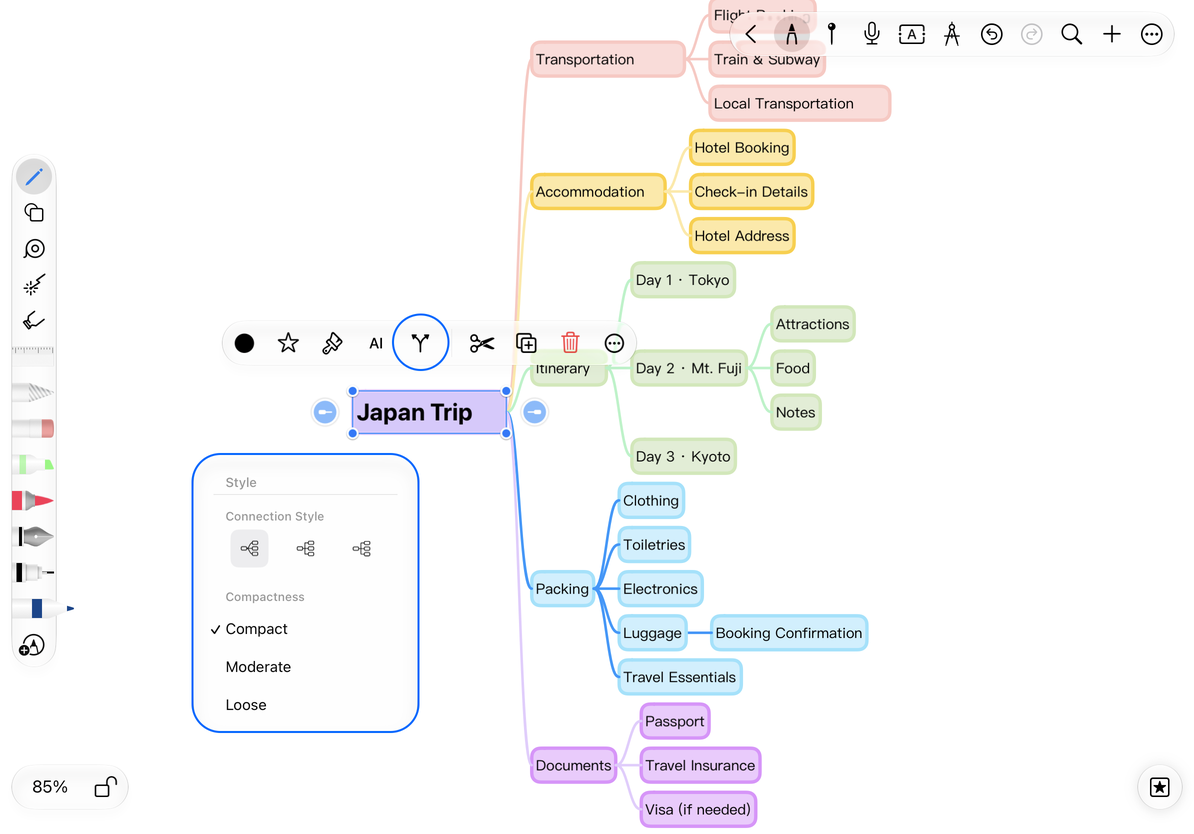
- Open its mind map Style menu.
- Choose a Connection Style, using the icons to preview the line shapes.
- Under Compactness, choose Compact, Moderate, or Loose. The map rearranges itself.
Compact saves space for shorter maps. Loose leaves more room for longer text and handwriting. Since layout changes alter node spacing, check that a map near a page edge still fits afterward.
Adjust connections and spacing
Style an individual node
Edit a text node, select text, and change its font, size, bold style, color, highlight, or paragraph formatting. Saved text styles can apply consistent formatting across a text box. Images, shapes, and formulas use their own object properties.
The mind map Style menu controls connections and layout. A node's background or object style controls its container or content.
Associate handwriting with a node
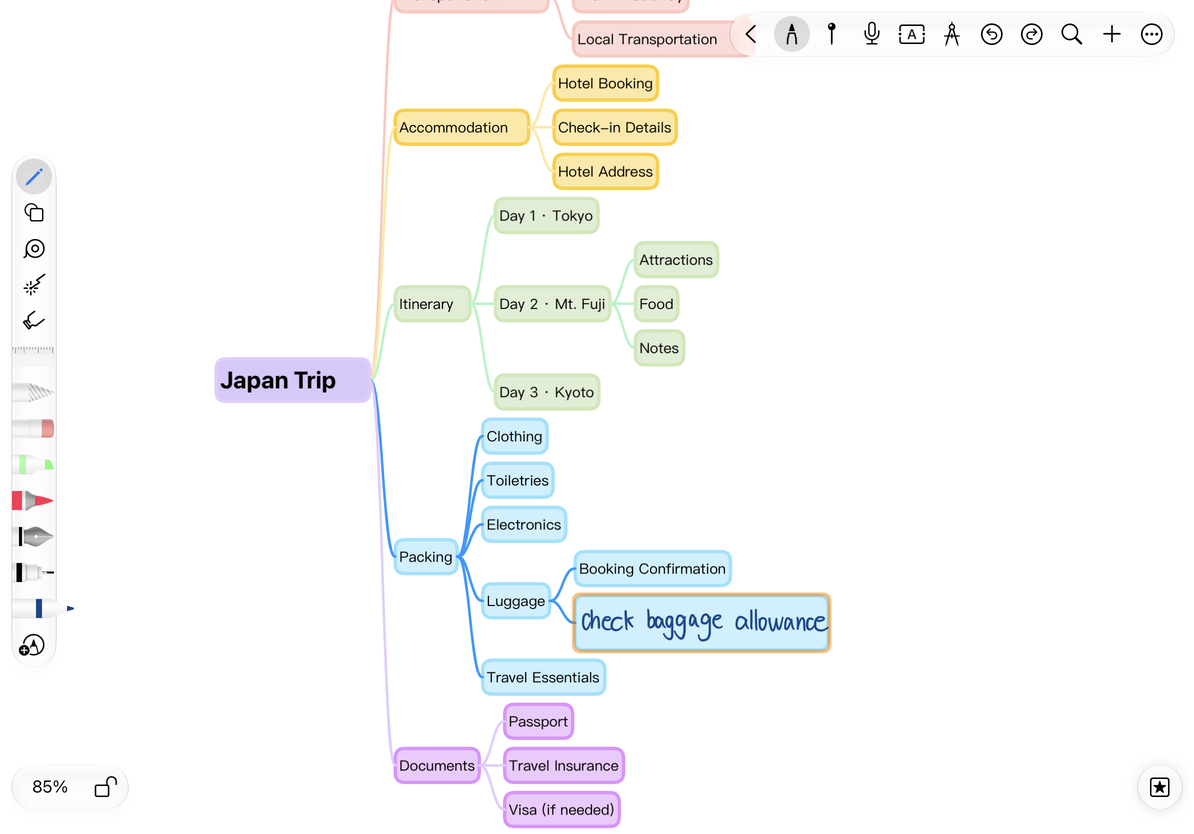
Choose a pen and write a short note inside a node's area. Move the node to check whether the strokes follow it. Associated handwriting moves with the node and is hidden when its branch is collapsed.
Association depends on the strokes' position relative to the node. Long strokes spanning several nodes do not make clear node annotations. Keep each handwritten note entirely within one node's area. If the wrong strokes move with it, undo the move, reposition the annotation, and check again.
Write inside a node
Set defaults for future maps
Open More → Mind Maps and Flowcharts to set the default connection style, Add Node Style, and compactness. Add Node Style offers Text or Copy Node. Show Connectors controls the connection handles around supported objects.
Defaults apply to future creation. Change an existing map through a node's Style menu. Connector handles create flowchart connections; they do not replace mind map parent-child relationships.
Nodes overlap after enlarging the text
Adjust compactness or shorten the node text.
I only want to recolor one node
Use that node's text or object color controls.
How do I export handwritten annotations?
Expand the relevant branches and confirm that the strokes appear in the export preview.
Related guides: Text box formatting · Text styles · Collapse branches · Export mind maps