
Insert formulas and understand export formats
Available in text documents on iPhone, iPad, and Mac. Formulas provide mathematical typesetting and display offline. They do not solve equations or recognize handwritten math. Canvas formula objects use a different insertion flow.
Insert and edit a formula
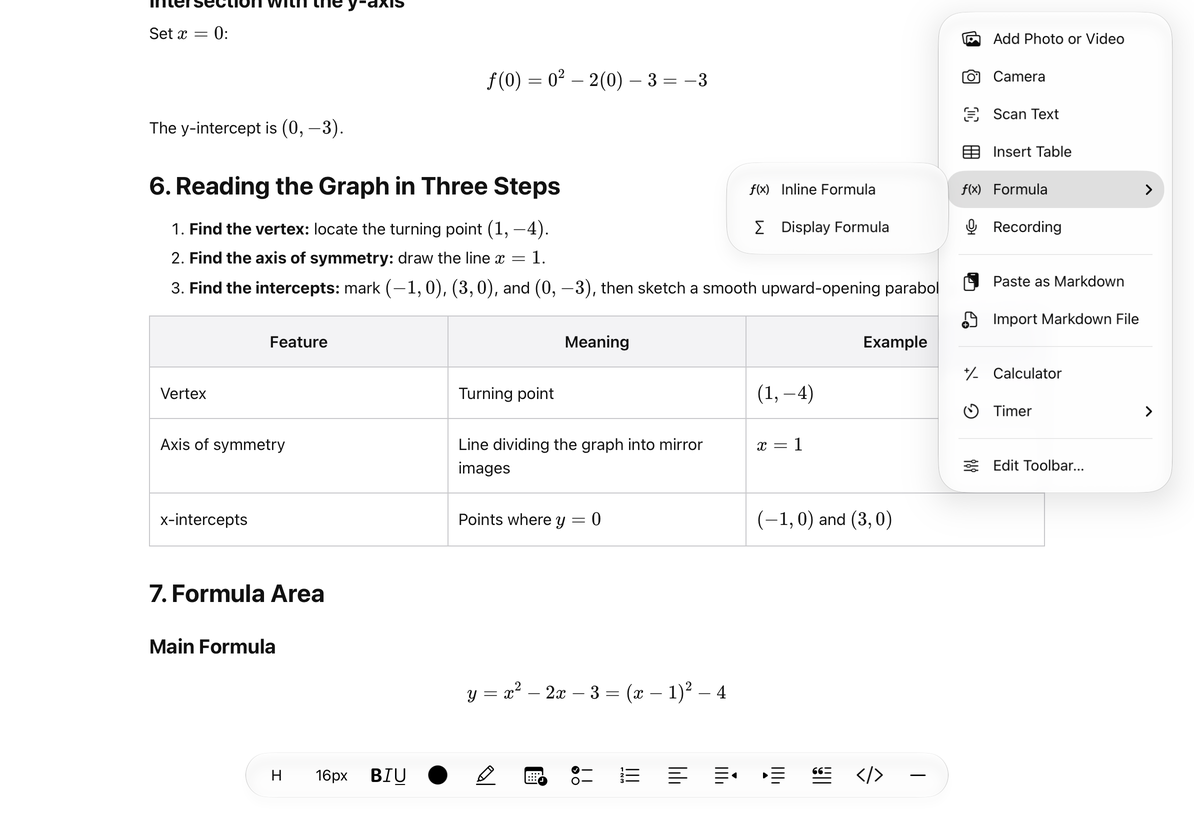
- Place the cursor in the text and open Add → Formula.
- Choose an inline formula to place it within a sentence, or a block formula to give it its own content block.
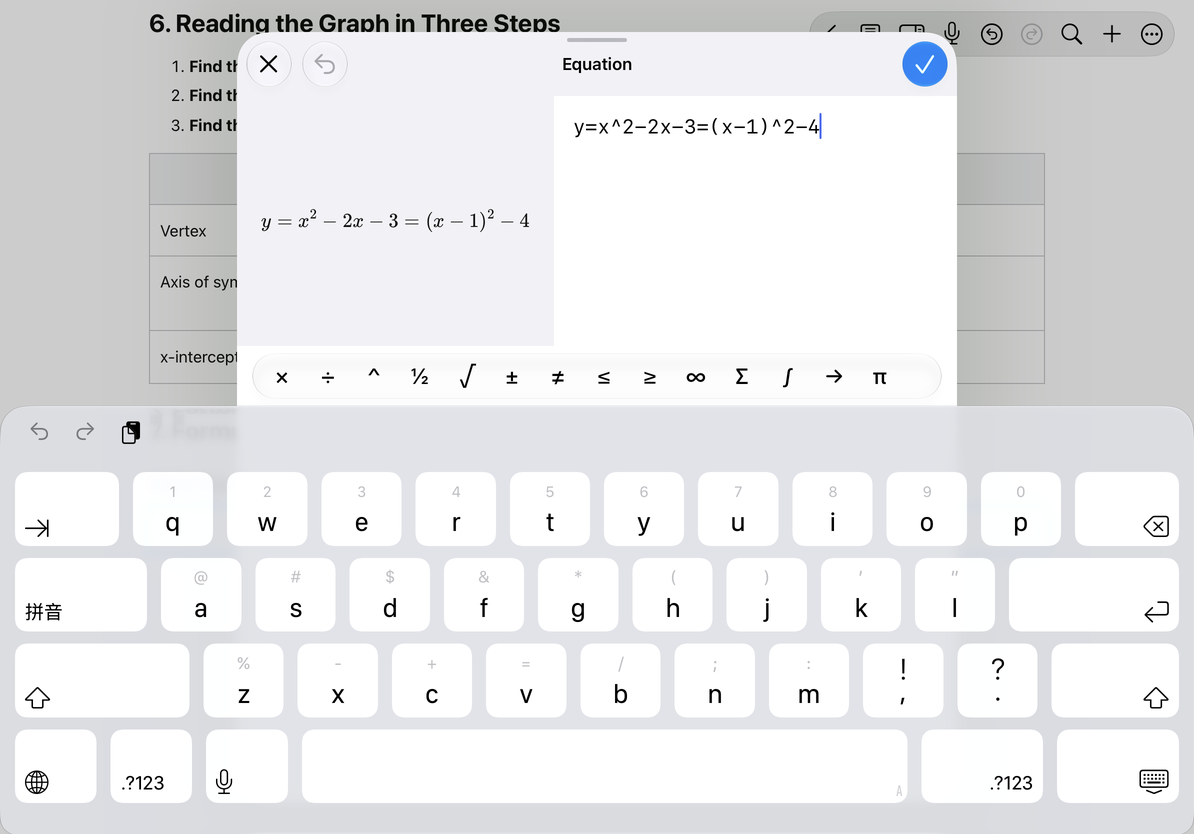
- Enter LaTeX, such as
y=(x-1)^2-4, and check the preview. - Choose Done when the expression is valid and the preview is ready. Cancel discards the insertion or edit.
- To edit later, tap the formula, change its source in the editor, and choose Done.
You can also insert formulas from the slash menu. To copy the raw expression, select and copy the text in the formula editor’s source field.
Choose inline or block math
Edit LaTeX and check the preview
Bring in formulas from Markdown
Use $…$ or \(…\) for inline math, and $$…$$ or \[…\] on a separate line for block math. Convert them with Paste or Insert Markdown. Delimiters inside code blocks or inline code, and escaped dollar signs, stay as text. Do not remove code formatting merely to force them to become formulas.
Choose an export format
| Format | Formula output |
|---|---|
| Markdown, TXT | Preserves LaTeX source for further editing |
| HTML, PDF | Preserves typeset formulas for reading and sharing |
| DOCX | Converts supported structures to Office Math; unsupported structures retain their source |
Open and check exported complex formulas, especially in DOCX. Not every LaTeX command can become an editable Word equation.
Common questions
Done is unavailable
Wait for the preview and check the brackets, commands, and expression.
I cannot insert at the current position
Return to the text, place the cursor, and try again.
Do formulas need an internet connection?
Text-document formulas use built-in rendering resources and can display offline. This is separate from recognition services with their own requirements.
Related guides: Export text documents, Text document tables.