
Read text, adjust appearance, and check word counts
Available in text documents on iPhone, iPad, and Mac. Reading mode and page appearance help with long documents. They are separate from paper templates in paged notes and two-page PDF settings.
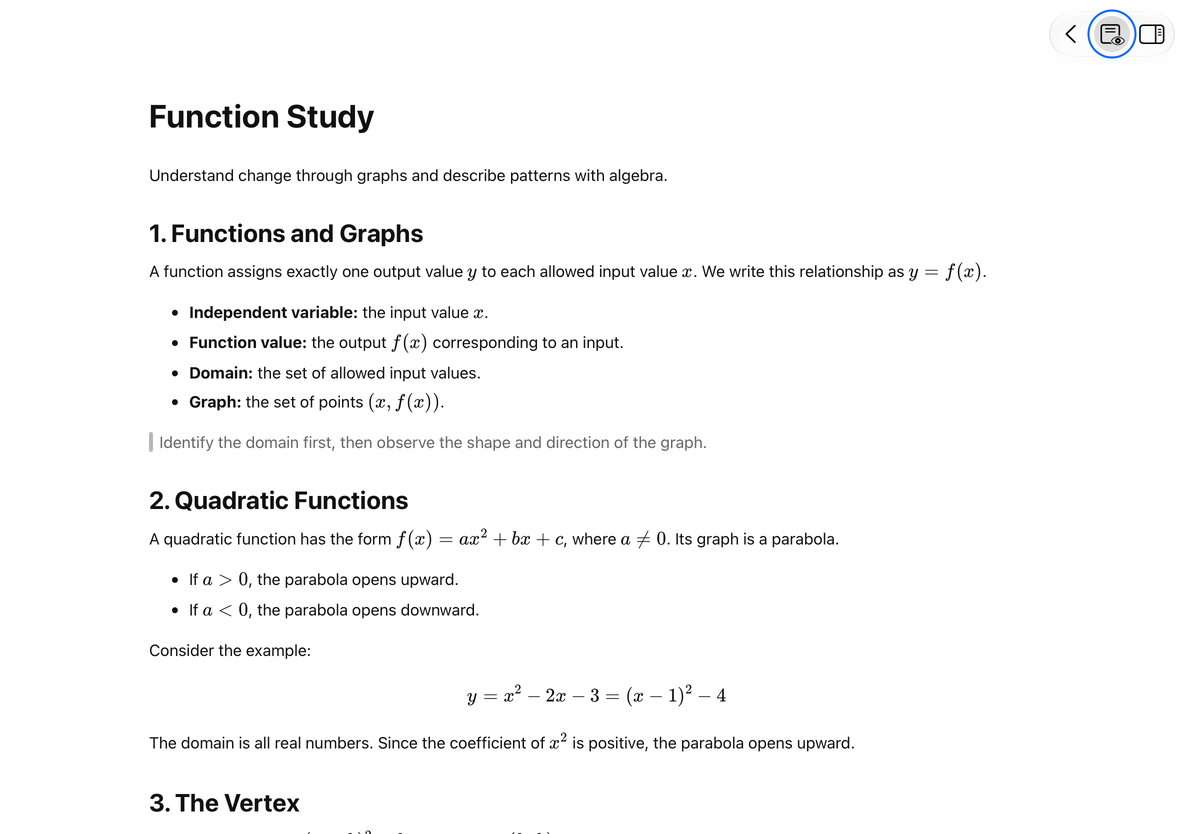
Read in preview mode
Tap the preview button at the top. Editing controls and the formatting toolbar are hidden, while back, reading, and outline navigation remain available. Tap the reading button again to return to editing.
Leave the document normally after reaching your reading position. Prodrafts restores the saved position when you reopen it. If the document structure changes, the surrounding text may differ; use the automatic outline to find your place again.
Read in preview mode
Choose a page appearance
Leave preview mode and open More → Page Appearance. Choose the standard appearance or one of seven color options. Each adapts to the system’s light and dark appearance. The preference is saved with this document and can be changed back to standard at any time.
This changes the reading background on screen; it does not insert background colors into HTML, Markdown, or Word body content. For a fixed layout, export the text document and inspect the output, especially the background in a PDF.
Check character, word, and paragraph counts
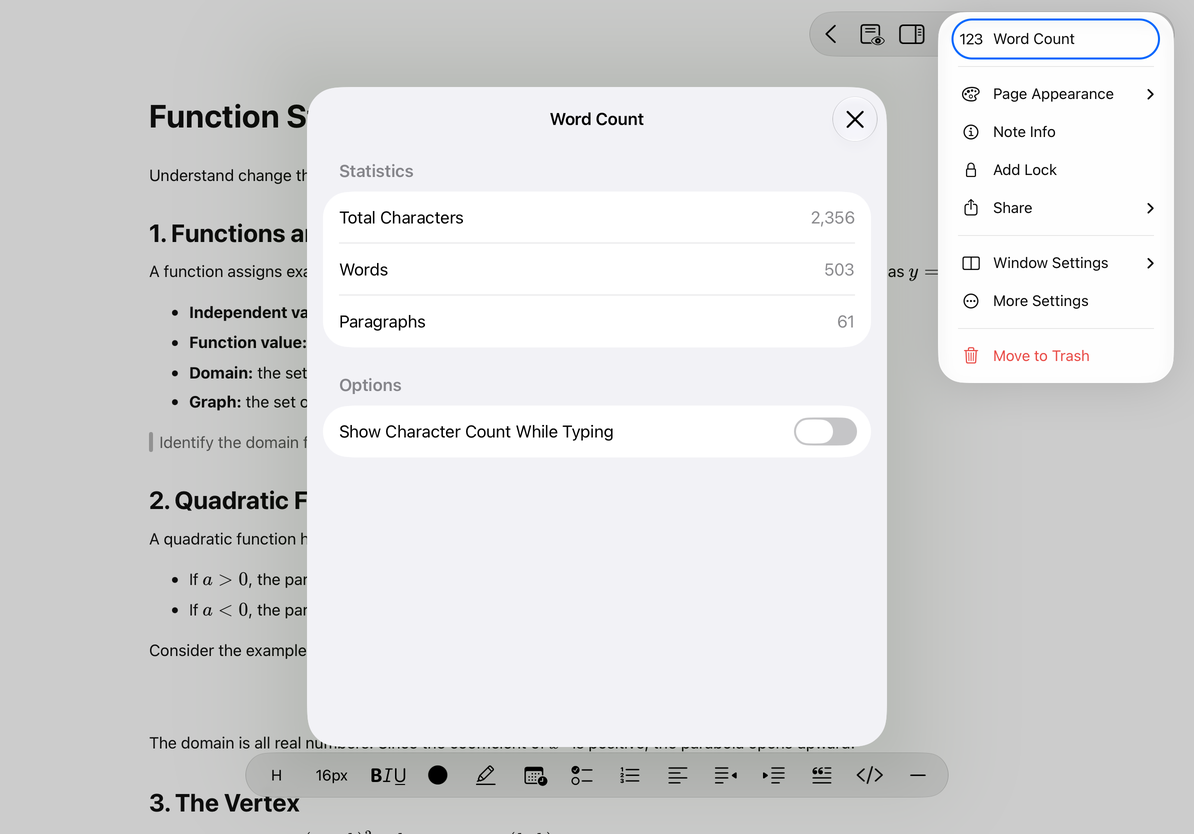
Open More → Word Count to see characters, words, and paragraphs. Turn on Show Character Count While Typing to display counts during editing. Turn it off when you do not need it; the count panel remains available.
The character count excludes whitespace. Word counting uses text segmentation, so Chinese characters and English words are counted differently. These figures describe the document’s size and may not match a publisher’s or exam board’s counting rules.
Check character, word, and paragraph counts
Common questions
The formatting toolbar is missing
Check whether preview mode or Find and Replace is open.
The background looks different on another device
Check both the system’s light or dark appearance and the document’s Page Appearance setting.
I want to change one sentence’s color
Use text color and highlighting instead of changing the page appearance.